This article corresponds to QR Code KIT's modern app. For more information, click here.
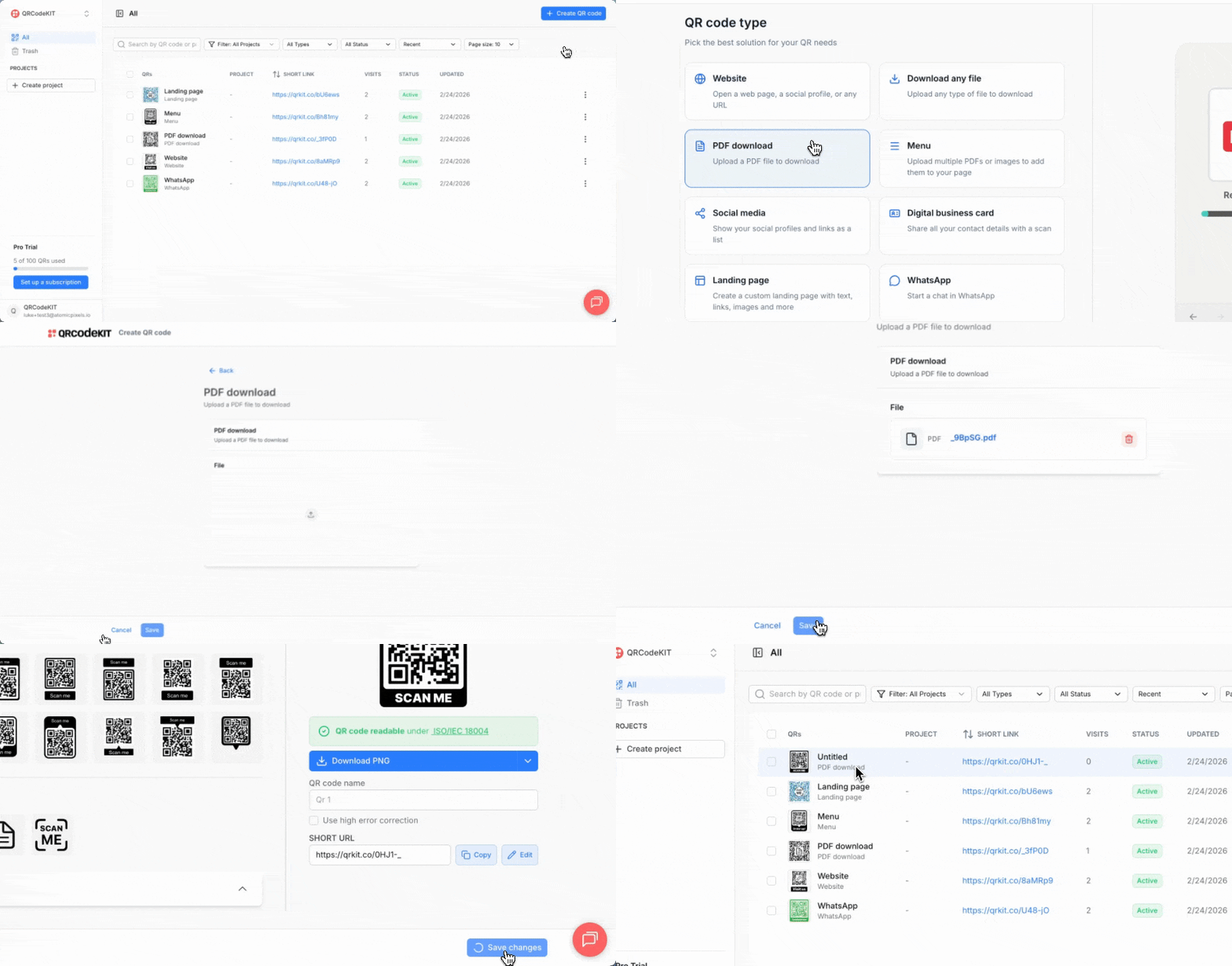
From your dashboard, click Create QR code.
Select PDF download and click Next.
Upload your PDF file and click Save.
After that, you will be able to customize and download the QR code. Click Save changes to return to your dashboard.