![Union-1.png]](https://help.qrcodekit.com/hs-fs/hubfs/Union-1.png?height=30&name=Union-1.png)
Simple options to share Wi‑Fi access
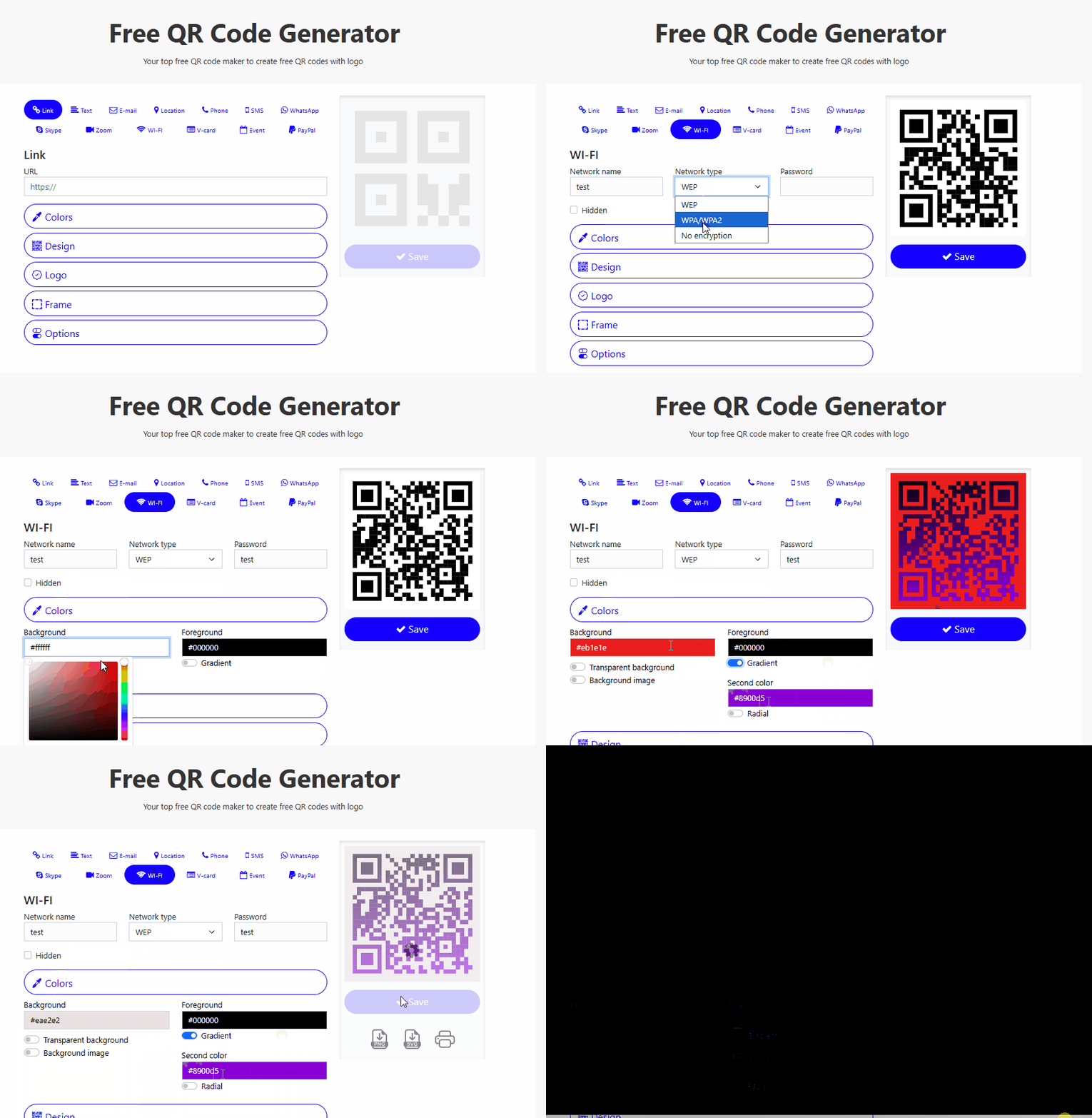
Option 1 Static Wi‑Fi QR (quick)
- Click here to access freeqrcodegenerator.com
- Select the Wi‑Fi option; it’s free, lets you download PNG/SVG, and is ideal for printed signs.
- Limitation: if you change the password or network you must reprint the QR.
Option 2 Dynamic QR that opens a landing page (more control)
- Concept: the QR points to a landing page that shows SSID, password (or a “copy” button), instructions and terms.
- You can update the password or text without reprinting the QR.
- Recommended when you want tracking, expiration, terms acceptance, or remote updates.
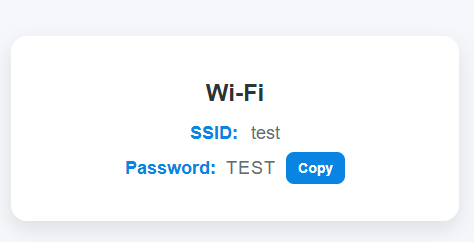
Example minimal landing (HTML ready to copy and adapt)
<!DOCTYPE html><html lang="en"><head> <meta charset="UTF-8"> <title>Wi-Fi Connection</title></head><body style="margin:0; padding:0; background-color:#f5f7fa; display:flex; justify-content:center; align-items:center; height:100vh; font-family:'Arial', sans-serif;"> <div style="background-color:#ffffff; padding:24px; border-radius:16px; box-shadow:0 8px 20px rgba(0,0,0,0.1); text-align:center; width:80%; max-width:720px;"> <h2 style="margin-bottom:16px; color:#2d3436; font-size:24px;"> Wi-Fi Details</h2> <p style="margin:8px 0; font-size:18px; color:#636e72;"> <span style="font-weight:600; color:#0984e3;">SSID:</span> test </p> <p style="margin:8px 0; font-size:18px; color:#636e72;"> <span style="font-weight:600; color:#0984e3;">Password:</span> TEST </p> </div></body></html>