![Union-1.png]](https://help.qrcodekit.com/hs-fs/hubfs/Union-1.png?height=30&name=Union-1.png)
This article corresponds to QR Code KIT's legacy app. For more information, click here.
Log in to your account and follow these steps:
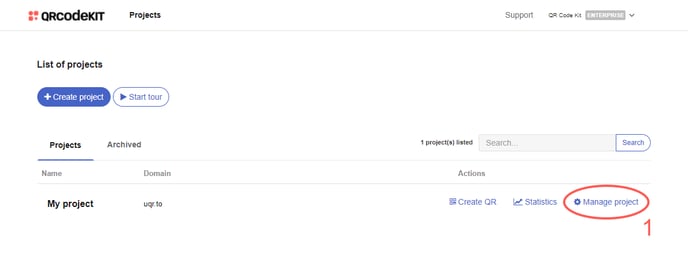
1) Click Manage project
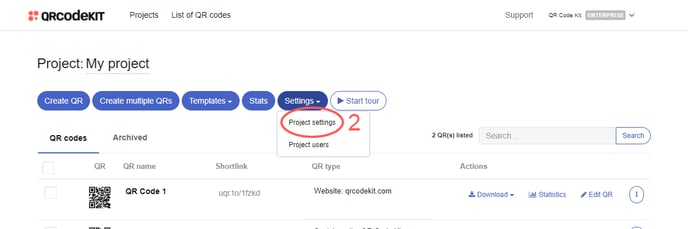
2) Click Project settings
3) Choose the date in which the statistics of the project will start counting and click Save and apply changes
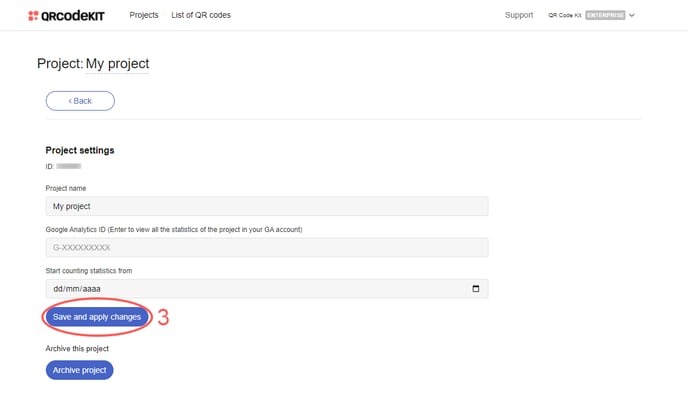
NOTE: The statistics prior to the date chosen are hidden; they are not deleted.