![Union-1.png]](https://help.qrcodekit.com/hs-fs/hubfs/Union-1.png?height=30&name=Union-1.png)
This article corresponds to QR Code KIT's legacy app. For more information, click here.
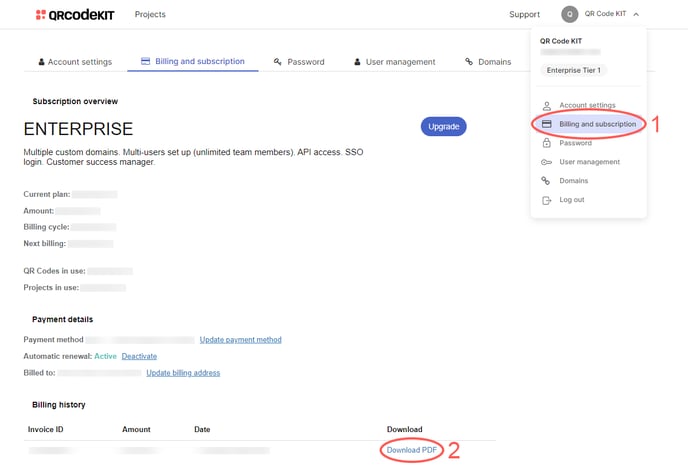
1) Click your user name in the top-right corner of your dashboard and click Billing and subscription
2) Click Download PDF within "Billing history"
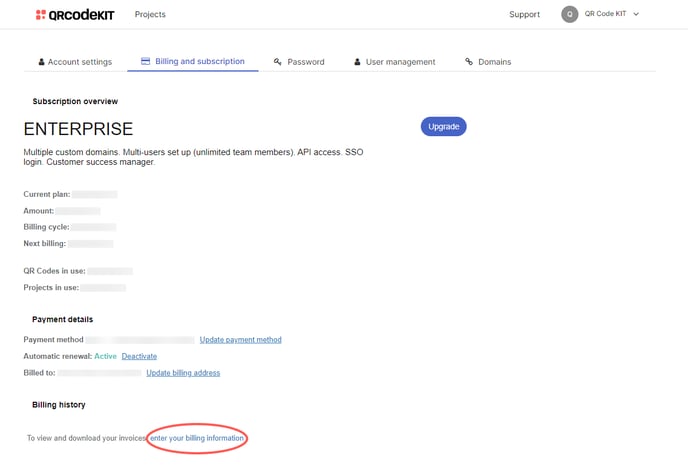
NOTE: If you made a payment but don't see the invoice, click enter your billing information. After doing so, you will see your invoice.